Takeoffs: No Template. No Blank Sheet. No Scale Ruler.

Takeoff software usually starts you at zero. Pick a template, name your items, set your scale, then start clicking. KonstructIQ starts you further down the road. The scope is already built from your plans, the scale is already calculated, and the full toolset is waiting for everything you'd rather measure yourself.

Problem

Takeoff software starts you from zero

Most takeoff tools hand you a blank list and a blank sheet. You name every item yourself, set the scale by hand, and build the structure before you can measure a single thing. All of that work has nothing to do with the plan in front of you and everything to do with the software.

KonstructIQ starts from the scope it already generated from your plans, with the scale already read off the drawing. You open a checklist, not a blank canvas.

How it works

From scope to measured quantities

1

Open your takeoff

Your scope items are already listed and grouped by trade, in the same names your estimate and bid packages use. No naming, no unit picking, no setup.

2

Confirm the scale

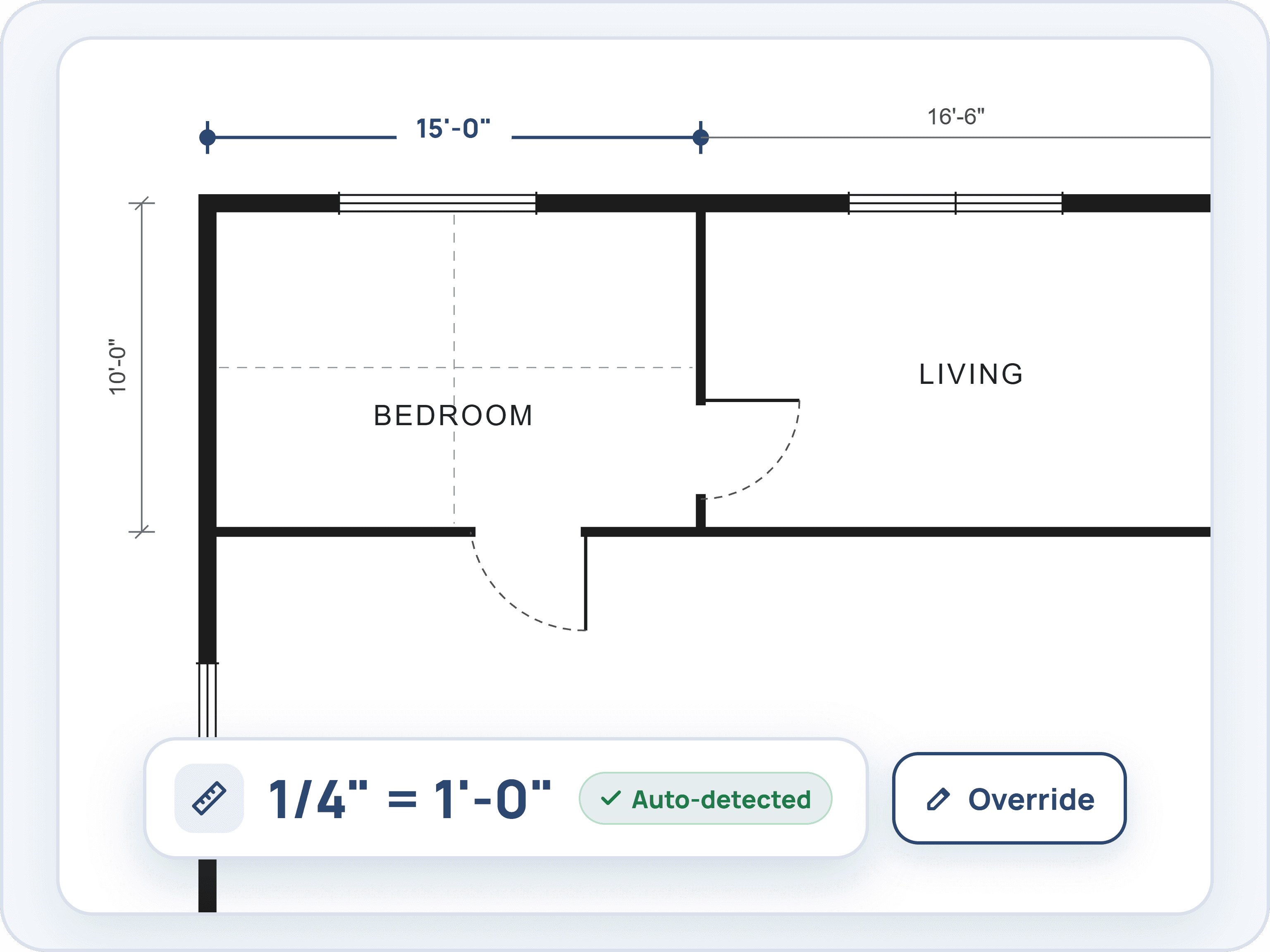
The scale is read off the drawing on upload and applied automatically. If it needs correcting, override it in one click.
3

Measure with the full toolset

Linear, area, count, angle, and deductions. Symbol detection finds matching fixtures and outlets across the sheet so you are not counting one at a time.

4

Quantity lands on the line

Pick an item, measure it, and the quantity lands on that line automatically, with the sheet reference attached.

Your Scope Is Already Built

Measure against the scope KonstructIQ generated from your plans. There is no template to choose and no empty item list to fill in before you can start. The line items are already there, waiting for quantities.

Every item pulled off your plans is already listed and grouped by trade, in the same names your estimate and bid packages use.

Pick an item, measure it on the sheet, and the quantity lands on that line. No naming, no unit picking, no setup.

Items carry their sheet reference, so “212 LF” points back to A-101.

Add anything the scope missed without leaving the page, under the trade and location you choose.

Levels and locations are yours to define as you go: Level 1, Lower Level, Kitchen, or Whole plan and site.

Filter by trade, location, or measurement type, and search by name when the list runs long.

Your Scope Is Already Built

Measure against the scope KonstructIQ generated from your plans. There is no template to choose and no empty item list to fill in before you can start. The line items are already there, waiting for quantities.

Every item pulled off your plans is already listed and grouped by trade, in the same names your estimate and bid packages use.

Pick an item, measure it on the sheet, and the quantity lands on that line. No naming, no unit picking, no setup.

Items carry their sheet reference, so “212 LF” points back to A-101.

Add anything the scope missed without leaving the page, under the trade and location you choose.

Levels and locations are yours to define as you go: Level 1, Lower Level, Kitchen, or Whole plan and site.

Filter by trade, location, or measurement type, and search by name when the list runs long.

Your Scope Is Already Built

Measure against the scope KonstructIQ generated from your plans. There is no template to choose and no empty item list to fill in before you can start. The line items are already there, waiting for quantities.

Every item pulled off your plans is already listed and grouped by trade, in the same names your estimate and bid packages use.

Pick an item, measure it on the sheet, and the quantity lands on that line. No naming, no unit picking, no setup.

Items carry their sheet reference, so “212 LF” points back to A-101.

Add anything the scope missed without leaving the page, under the trade and location you choose.

Levels and locations are yours to define as you go: Level 1, Lower Level, Kitchen, or Whole plan and site.

Filter by trade, location, or measurement type, and search by name when the list runs long.

Scale Calculated for You

Upload the sheet and the scale is set automatically. You start measuring instead of calibrating. When the plans are off, or the sheet was plotted to fit, fixing it is one click.

Scale is read off the drawing on upload and applied for you.

Set per sheet, because a drawing set runs at several scales and a single sheet often carries more than one.

Override from architectural presets, 3 inches to 1 foot down to 1/8 inch to 1 foot, or civil presets from 1 inch to 10 feet up to 1 inch to 100 feet.

Two point calibration against any known dimension when the printed scale cannot be trusted.

Custom scales in inches, millimeters, or centimeters against feet, inches, meters, or centimeters.

A sheet that arrives without a usable scale asks you for one before it lets you measure. Nothing is ever measured against a guess.

Scale Calculated for You

Upload the sheet and the scale is set automatically. You start measuring instead of calibrating. When the plans are off, or the sheet was plotted to fit, fixing it is one click.

Scale is read off the drawing on upload and applied for you.

Set per sheet, because a drawing set runs at several scales and a single sheet often carries more than one.

Override from architectural presets, 3 inches to 1 foot down to 1/8 inch to 1 foot, or civil presets from 1 inch to 10 feet up to 1 inch to 100 feet.

Two point calibration against any known dimension when the printed scale cannot be trusted.

Custom scales in inches, millimeters, or centimeters against feet, inches, meters, or centimeters.

A sheet that arrives without a usable scale asks you for one before it lets you measure. Nothing is ever measured against a guess.

Scale Calculated for You

Upload the sheet and the scale is set automatically. You start measuring instead of calibrating. When the plans are off, or the sheet was plotted to fit, fixing it is one click.

Scale is read off the drawing on upload and applied for you.

Set per sheet, because a drawing set runs at several scales and a single sheet often carries more than one.

Override from architectural presets, 3 inches to 1 foot down to 1/8 inch to 1 foot, or civil presets from 1 inch to 10 feet up to 1 inch to 100 feet.

Two point calibration against any known dimension when the printed scale cannot be trusted.

Custom scales in inches, millimeters, or centimeters against feet, inches, meters, or centimeters.

A sheet that arrives without a usable scale asks you for one before it lets you measure. Nothing is ever measured against a guess.

The Full Measuring Tool Set

Linear, area, count, angle, and deductions, plus symbol detection to take the worst of the counting off your hands.

Linear runs as straight lines or curves, areas as rectangles or polygons, counts, angles, and notes.

Deductions subtract windows, islands, stairwells, and openings straight out of an area instead of making you do the math twice.

Count marks in multiple shapes and colors, so three trades on the same sheet stay readable.

Symbol detection: box one outlet, fixture, or door symbol and it finds the matching ones on the sheet, rotated copies included.

Review the matches before they become a quantity. Borderline hits are held back rather than padding the count.

The captured symbol stays on the item, so anyone reviewing the takeoff sees exactly what was counted.

Every tool has a keyboard shortcut printed on the button, with undo and redo across the whole session.

The Full Measuring Tool Set

Linear, area, count, angle, and deductions, plus symbol detection to take the worst of the counting off your hands.

Linear runs as straight lines or curves, areas as rectangles or polygons, counts, angles, and notes.

Deductions subtract windows, islands, stairwells, and openings straight out of an area instead of making you do the math twice.

Count marks in multiple shapes and colors, so three trades on the same sheet stay readable.

Symbol detection: box one outlet, fixture, or door symbol and it finds the matching ones on the sheet, rotated copies included.

Review the matches before they become a quantity. Borderline hits are held back rather than padding the count.

The captured symbol stays on the item, so anyone reviewing the takeoff sees exactly what was counted.

Every tool has a keyboard shortcut printed on the button, with undo and redo across the whole session.

The Full Measuring Tool Set

Linear, area, count, angle, and deductions, plus symbol detection to take the worst of the counting off your hands.

Linear runs as straight lines or curves, areas as rectangles or polygons, counts, angles, and notes.

Deductions subtract windows, islands, stairwells, and openings straight out of an area instead of making you do the math twice.

Count marks in multiple shapes and colors, so three trades on the same sheet stay readable.

Symbol detection: box one outlet, fixture, or door symbol and it finds the matching ones on the sheet, rotated copies included.

Review the matches before they become a quantity. Borderline hits are held back rather than padding the count.

The captured symbol stays on the item, so anyone reviewing the takeoff sees exactly what was counted.

Every tool has a keyboard shortcut printed on the button, with undo and redo across the whole session.

FAQ

Common questions about takeoffs

Where do the items in my takeoff come from?

What happens if the scale on the plan is wrong?

Can I measure something that is not already in my scope?

How does symbol detection work?

Can I use the takeoff on a scanned or hand drawn plan?

What happens to a measured quantity after the takeoff?

Measure against a scope, not a blank sheet.

See how KonstructIQ turns your plans into a ready to measure takeoff, scale and all.