Scope of Work Analysis and Extraction
KonstructIQ analyzes, extracts, and generates a full scope of work from your plans, using trade-specific AI agents that each read the parts of your plans relevant to their trade, so a framing takeoff gets read the way framing actually gets estimated instead of being squeezed through one generic pass.
Context
Scope generation is where the estimate takes shape
Getting to a scope of work used to mean reviewing plans manually, writing line items from scratch, and hoping nothing got missed. KonstructIQ generates the scope automatically from your inputs, with a dedicated agent for each trade reading the plan the way that trade is actually estimated, and gives you an interactive workspace to review and refine it before it becomes an estimate.
Every quantity is grounded in evidence on the sheet: printed figures, traced geometry, counts of schedules and symbols. Agents ask clarifying questions before committing to a number, rather than guessing and moving on.
Context
Scope generation is where the estimate takes shape
Getting to a scope of work used to mean reviewing plans manually, writing line items from scratch, and hoping nothing got missed. KonstructIQ generates the scope automatically from your inputs, with a dedicated agent for each trade reading the plan the way that trade is actually estimated, and gives you an interactive workspace to review and refine it before it becomes an estimate.
Every quantity is grounded in evidence on the sheet: printed figures, traced geometry, counts of schedules and symbols. Agents ask clarifying questions before committing to a number, rather than guessing and moving on.
Context
Scope generation is where the estimate takes shape
Getting to a scope of work used to mean reviewing plans manually, writing line items from scratch, and hoping nothing got missed. KonstructIQ generates the scope automatically from your inputs, with a dedicated agent for each trade reading the plan the way that trade is actually estimated, and gives you an interactive workspace to review and refine it before it becomes an estimate.
Every quantity is grounded in evidence on the sheet: printed figures, traced geometry, counts of schedules and symbols. Agents ask clarifying questions before committing to a number, rather than guessing and moving on.
Scope Screen Features
What the scope screen gives you
CSI-organized line items with source references
Every scope item shows where it came from — which plan page, which photo, or which prompt generated it. Trade-based organization by default with optional room-based grouping.
Conflict, assumption, and confidence flags
Before you finalize, the system surfaces potential conflicts between line items, flags assumptions that need review, and rates confidence on every item based on the evidence behind it, so you know at a glance what’s solid and what to check.
AI assistant for scope review
Ask questions about the scope directly in the platform. Clarify line items, explore assumptions, request additions, or check for gaps — all without leaving the scope screen.
Edit and adjust freely
Add, remove, or modify any line item before moving to the estimate. The scope is a starting point you control — not a locked output.
Connected to the estimate
When the scope is ready, it flows directly into the estimate. Labor and material pricing applies to the finalized line items — no re-entry required.
Tags, location, and custom measurements
Add tags, assign a location, or attach additional measurements to any scope item. The scope adapts to how you organize a job, not just how it was generated.
Scope Screen Features
What the scope screen gives you
CSI-organized line items with source references
Every scope item shows where it came from — which plan page, which photo, or which prompt generated it. Trade-based organization by default with optional room-based grouping.
Conflict, assumption, and confidence flags
Before you finalize, the system surfaces potential conflicts between line items, flags assumptions that need review, and rates confidence on every item based on the evidence behind it, so you know at a glance what’s solid and what to check.
AI assistant for scope review
Ask questions about the scope directly in the platform. Clarify line items, explore assumptions, request additions, or check for gaps — all without leaving the scope screen.
Edit and adjust freely
Add, remove, or modify any line item before moving to the estimate. The scope is a starting point you control — not a locked output.
Connected to the estimate
When the scope is ready, it flows directly into the estimate. Labor and material pricing applies to the finalized line items — no re-entry required.
Tags, location, and custom measurements
Add tags, assign a location, or attach additional measurements to any scope item. The scope adapts to how you organize a job, not just how it was generated.
Scope Screen Features
What the scope screen gives you
CSI-organized line items with source references
Every scope item shows where it came from — which plan page, which photo, or which prompt generated it. Trade-based organization by default with optional room-based grouping.
Conflict, assumption, and confidence flags
Before you finalize, the system surfaces potential conflicts between line items, flags assumptions that need review, and rates confidence on every item based on the evidence behind it, so you know at a glance what’s solid and what to check.
AI assistant for scope review
Ask questions about the scope directly in the platform. Clarify line items, explore assumptions, request additions, or check for gaps — all without leaving the scope screen.
Edit and adjust freely
Add, remove, or modify any line item before moving to the estimate. The scope is a starting point you control — not a locked output.
Connected to the estimate
When the scope is ready, it flows directly into the estimate. Labor and material pricing applies to the finalized line items — no re-entry required.
Tags, location, and custom measurements
Add tags, assign a location, or attach additional measurements to any scope item. The scope adapts to how you organize a job, not just how it was generated.
Inputs
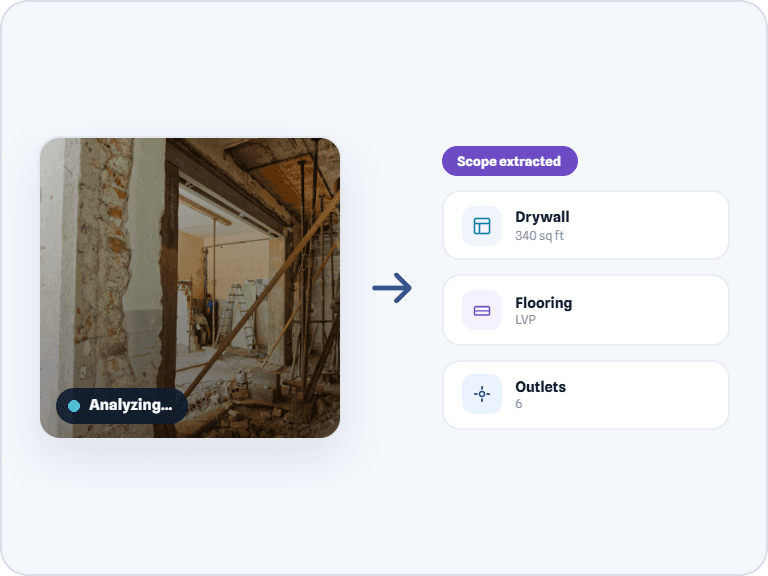
Multiple ways to generate a scope



Inputs
Multiple ways to generate a scope
Inputs
Multiple ways to generate a scope
FAQ
Common questions about scope generation
Where does the scope come from?
Can I edit the generated scope?
What are conflict flags?
What can the AI assistant help with on the scope screen?
How does the scope connect to the estimate?
Can I see which plan page or photo generated each line item?
How does the AI decide how confident it is in a line item?
Does the AI ask questions before generating the scope, or after?
From inputs to a reviewable scope — in minutes.
See how KonstructIQ generates, flags, and finalizes construction scopes of work — with an AI assistant ready to help you review every line.
From inputs to a reviewable scope — in minutes.
See how KonstructIQ generates, flags, and finalizes construction scopes of work — with an AI assistant ready to help you review every line.
From inputs to a reviewable scope — in minutes.
See how KonstructIQ generates, flags, and finalizes construction scopes of work — with an AI assistant ready to help you review every line.