Bid Management: Request. Compare. Award. No Spreadsheet.
Bidding out a trade means emails in five formats, a spreadsheet only you understand, and exclusions that surface as change orders after award. KonstructIQ builds the request from your scope, sends it to every sub, levels the responses with AI, and applies the winning bid straight into your estimate — line by line.

Problem
Bid management breaks down in the handoff
Bidding out a trade means emails in five formats, a spreadsheet only you understand, and exclusions that surface as change orders after award. Every response has to be read, normalized, compared, and manually worked back into the estimate.
KonstructIQ builds the request from your scope, sends it to every sub, levels the responses with AI, and applies the winning bid straight into your estimate — line by line.
How it works
From request to awarded bid
1
Build the bid request
Start from the estimate you already built. Select the trade, scope items, due date, and the subcontractors you want to invite.

2
Send a private bid link
Each subcontractor receives a private, guest-access link. They can review the scope and submit without creating an account or seeing competing bidders.

3
Level every response with AI
Upload PDF, Word, Excel, email, lump-sum, or itemized bids. AI extracts the numbers, exclusions, and scope gaps into one side-by-side comparison.

4
Award and apply
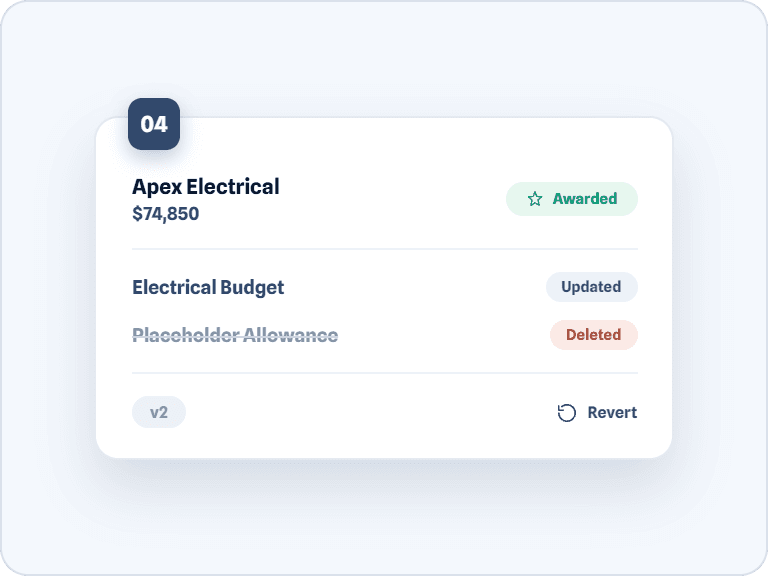
Choose the best-fit bid and apply it to the estimate. Every updated line is flagged, versioned, and ready to revert if needed.
Core Capabilities
What bid management makes possible
AI leveling
Normalizes any mix of itemized and lump-sum bids into one side-by-side grid, with a confidence rating and best-value recommendation for each.
Guest bidding, no account required
Subs respond through a private link and guest portal — never see who else is bidding, never need to sign up.
Any-format bid extraction
Upload a PDF, Word doc, or Excel bid and AI extracts the subcontractor, amount, line items, and exclusions automatically.
Exclusion detection
Every bidder’s exclusions and scope gaps are surfaced side by side, so nothing missing shows up later as a change order.
Ask the bids questions
Chat with an assistant that’s read every bid — ask what’s cheapest on labor, what a missing scope would cost, or what to clarify with a sub.
Award with version control
Awarding a bid updates your estimate line by line, with every change flagged and a one-click revert if something’s off.
FAQ
Common questions about bid management
How is a bid request built from my estimate?
Do subcontractors need a KonstructIQ account to submit a bid?
What happens if a sub sends their bid as a PDF or email instead of using the link?
How does AI leveling compare a lump-sum bid to an itemized one?
What happens to scope a sub excluded once I award their bid?
Can I undo awarding a bid after it’s applied to my estimate?
Stop rebuilding your estimate after every bid comes back.
See how KonstructIQ turns subcontractor responses into an updated estimate — automatically.